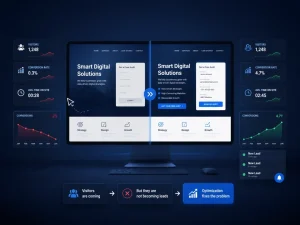
Google Ads automation now decides far more of your spending than you may realize.
You open your Google Ads account on Monday and the weekend budget is gone, with fewer enquiries than usual. Nobody touched a setting. The automation simply decided where the money should go.
That is the trade-off with Google Ads automation in 2026. Smart Bidding sets every bid, Performance Max picks the channels, and AI Max widens the searches that can trigger your ads. Used well, this saves time and finds customers you would never target by hand. Used carelessly, it spends confidently on the wrong things.
You do not have to choose between control and automation. Google keeps adding guardrails, including campaign total budgets and the channel prioritization and budget allocation controls announced in October. Most business owners have simply never been shown how to use them.
This guide covers what the automation actually controls, where spend leaks, which guardrails to set first, and what changes for businesses competing in the UAE.
What Google Ads Automation Actually Controls in 2026
Three systems now make most spending decisions, and each automates a different layer.
| System | What it decides | What you still control |
|---|---|---|
| Smart Bidding | The bid in every auction | Goal, Target CPA or ROAS, budget, conversion tracking |
| Performance Max | Which Google channels show your ads | Budget, assets, brand exclusions, negative keywords |
| AI Max for Search | Which searches match, what the ad says, which page loads | Brand and location controls, URL exclusions, text guidelines |
AI Max is an optimization layer inside existing Search campaigns, not a new campaign type. Performance Max, by contrast, spreads budget across Search, YouTube, Maps, Gmail and Discover.
One change deserves a check this month. Google said campaigns using automatically created assets or campaign-level broad match began upgrading to AI Max in September 2026, and Dynamic Search Ads auto-upgrades now begin in February 2027. If nobody has reviewed those settings recently, your account may behave differently than it did last quarter.
Where Automated Spend Goes Wrong
Automation optimizes toward whatever you tell it to chase. Most wasted budget traces back to four causes.
- Weak conversion data. Smart Bidding learns from the conversions you report. Google advises measuring every conversion action that is valuable to your business, so counting page views or duplicate form fills teaches the system to buy the wrong traffic.
- Credit for customers you already had. Performance Max and AI Max can capture branded searches that would have converted anyway. Brand exclusions let you keep your own brand out of a campaign so you can see what it adds beyond that traffic.
- Targets set too tight. Google warns that overly aggressive targets can cut volume and make results hard to read. A campaign held back by its target can underspend, which looks like a budget problem.
- Budget leaking to secondary networks. Search partners and the Display Network can take a share of money you meant for Search. The new priority and allocation controls address exactly this.
None of these is a flaw in automation. Each is a missing instruction.
Guardrails That Keep Google Ads Spend Under Control
Set these in order. Each one removes a different kind of surprise.
- Fix conversion tracking first. Count only actions tied to revenue, such as qualified enquiries, bookings or purchases. Everything else is noise the bidding system will try to buy.
- Set targets from your own history. Google suggests starting with your historical CPA or ROAS, measured over a period that excludes recent days still affected by conversion delay. Google also states that changing a target does not trigger a learning status and changes bids quickly, which makes the target your finest spend dial. Expect some volatility for a conversion cycle or two after large moves.
- Use campaign total budgets for time-bound pushes. You set one amount and dates, and Google will never charge more than that total. The window must run 3 to 90 days, it applies only to new campaigns, and the budget type cannot be changed later. With no daily cap, daily spend can vary.
- Prioritize channels. As the new controls reach your account, mark Search as high priority and set the Display Network to low priority with a cap on its share of the daily budget. From February 2027, Search campaigns with Display turned on lose their current spend allocation setup. Setting Display to low priority with a 50% allocation keeps today’s behavior.
- Add exclusions on day one. Account-level negative keywords (up to 1,000) apply across Search and Shopping inventory, including Performance Max. Add brand exclusions for your own and competitor brands where they distort results.
- Do not starve AI Max. Google notes that AI Max is not effective in campaigns limited by budget, and it alerts you when that happens.
How to Protect Performance While You Tighten Control
Control and performance only pull against each other when changes are rushed.
Change one lever at a time. Google recommends allowing at least one full conversion cycle before judging results, and testing changes with drafts and experiments before committing. If your sales cycle runs two weeks, a verdict on Tuesday about a Monday edit is guesswork.
Review the right reports weekly. Check the search terms report, channel spend in Performance Max and, for AI Max, the landing pages report. AI Max adds a new match type and a source column that show which queries matched and why.
Avoid these common mistakes:
- Editing budgets and targets daily, so the system never settles.
- Judging results on the last two days, before delayed conversions arrive.
- Switching every automated feature on, or off, at once, which hides what caused a change.
- Trusting platform-reported conversions without comparing them to real sales or enquiries.
- Enabling AI Max with a tracking template that breaks dynamic landing pages. Google advises confirming that dynamic URLs work with your template first.
Expect the query mix to keep widening as Google folds more matching into AI Max. That is one more reason to review search terms weekly instead of setting and forgetting.
Expert Insights
Best Practice: Keep a simple change log. Note every budget, target and exclusion edit with its date, so a performance shift can be traced to a cause.
Common Mistake: Editing budgets and targets daily, or judging results on the last two days before delayed conversions arrive.
Professional Recommendation: Compare platform-reported conversions with real sales or enquiries, and switch automated features on one at a time so you can see what caused each change.
Implementation Tip: Before enabling AI Max, confirm that dynamic URLs work with your tracking template. Google warns a mismatch can break expanded landing pages.
Emerging Trend: Google keeps folding older settings into AI Max, so the query mix will keep widening. Weekly search term reviews are becoming routine account hygiene.
Local UAE Perspective on Google Ads Automation
Google Ads automation behaves differently in a market this multilingual and seasonal.
- Language and landing pages. Final URL expansion sends people to the page Google predicts will perform best. Check which pages AI Max chooses for Arabic searches, and use text guidelines and URL exclusions to keep Arabic queries off pages that exist only in English. Arabic pages built for Arabic search intent, backed by SEO, give automation better choices.
- Location settings. AI Max’s locations of interest reach people by geographic intent, which may include someone searching from abroad. For a Dubai service business, decide whether you want people in your area or people interested in it.
- Peak seasons. Ramadan, Dubai Shopping Festival and White Friday are time-bound moments. Campaign total budgets suit them, and Google says you can adjust targets on the day of a sale or use seasonality adjustments for short, predictable spikes. Social media marketing can build interest before these peaks.
- Google Business Profile. Performance Max can show ads on Maps as well as Search, so a complete, accurate profile with correct hours and categories supports your ads and your local visibility together.
Frequently Asked Questions
Can I cap Google Ads spend while automation is on?
Yes. For most campaigns, an average daily budget can spend up to twice the daily figure on a given day, but never more than 30.4 times it in a month. Campaign total budgets never exceed the total you set.
How long does Smart Bidding take to settle?
Allow at least one conversion cycle before judging results. Slow sales cycles and low conversion volume need longer.
Does changing my Target CPA reset learning?
Google says a target change does not trigger a learning status or erase what the system has learned, though results may wobble for a conversion cycle or two.
What is channel prioritization?
It lets you mark channels as high or low priority and cap the share of daily budget low-priority channels can use.
Should I use Performance Max or Search?
Keep proven keywords in Search to protect intent. Add Performance Max when tracking is reliable and you can supply strong assets, and use brand exclusions to judge what it really adds.
How much should a small UAE business spend?
Enough to produce a steady flow of conversions. If your budget cannot, narrow the scope: fewer campaigns, tighter locations, one clear goal.
Key Takeaways
- Automation spends what its inputs tell it to, so clean conversion tracking comes first.
- Set Target CPA or ROAS from your own history, and treat the target as your fine spend dial.
- Use campaign total budgets for promotions, and channel priority with allocation caps for Display and partner networks.
- Add account-level negative keywords and brand exclusions on day one.
- Change one lever at a time, then wait a full conversion cycle.
- In the UAE, check Arabic landing pages, location intent and seasonal peaks.
Google Ads automation is not something to switch off or trust blindly. It rewards businesses that give it clean data, realistic targets and clear boundaries, then review it on a steady rhythm. Start with tracking and exclusions, add budget and channel controls, and change one thing at a time.
If you’d like help setting up guardrails for your Google Ads automation, or want a second opinion on how your account is spending, the team at 2CG can review your campaigns and help you put the right controls in place. Explore our Google Ads and PPC management services, take a look at our past campaign results, or reach out directly below.
Get in touch with 2CG:
2CG – Web Development & Digital Marketing Agency (Dubai)
- Email: hello@2cguae.com
- Phone: +971505878691 / +971525392930
- WhatsApp: +971505878691 / +971525392930
- Landline: +97142506490